
At the end of service, confirm that all reservations for the day have been properly entered and fulfilled so payouts can be processed.
STEPS TO COMPLETE A RESERVATION
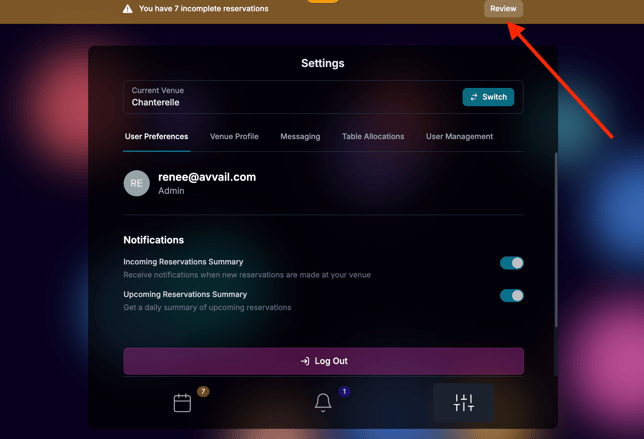
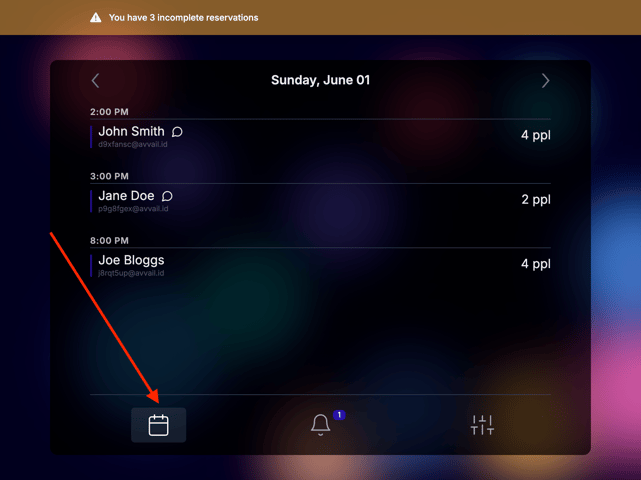
1. If you have one or more incomplete reservations, you will notice a banner at the top of the screen. Click the "Review" button or navigate to the Calendar tab of your dashboard.
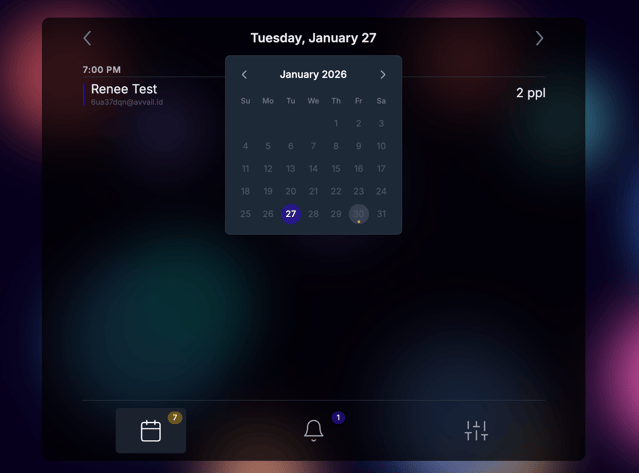
2. Click the date at the top of the screen to open a calendar view. Dates with incomplete reservations are marked with a brown "dot." Click the date with the incomplete reservation you would like to complete.
If you clicked the "Review" button in the banner, you will immediately be navigated to the first incomplete reservation.
3. Once you are on the correct date page, click the guest name to open a completion modal.
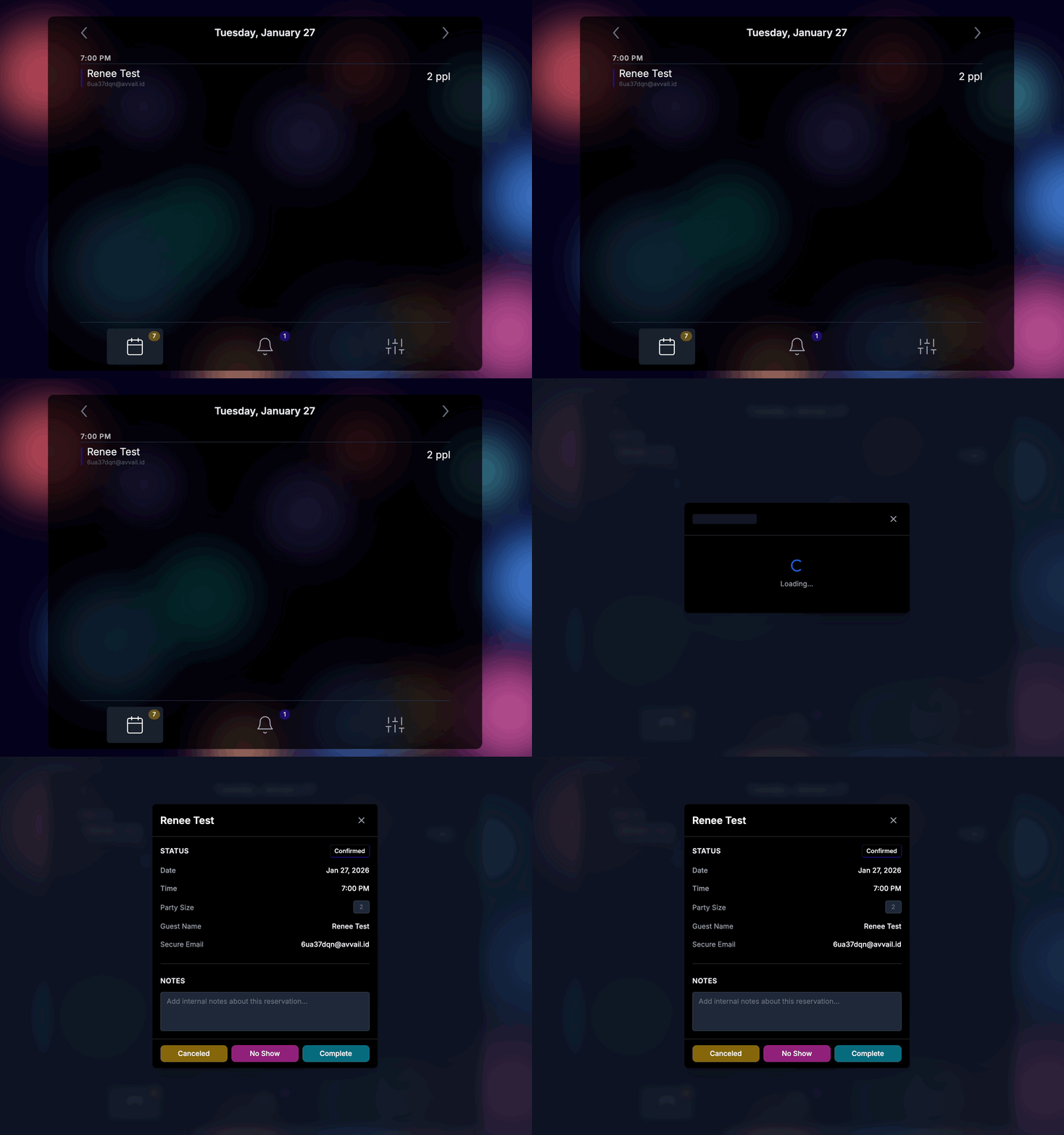
4. If the reservation was successfully completed, enter any changes to the party size and any notes about the guest or the experience to share with the Avvail team and click "Complete."
For more information on our policy around changes to party size, refer to this support article.
5. If the guests did not arrive, click "No Show."
For more information on our policy around no-shows, refer to this support article.
NOTE: Please do not mark the reservation as "Canceled" unless the guest cancels the reservation directly with your team. Most cancellations will be handled through Avvail and you will be notified via email and in your Avvail dashboard.