---
title: Guest messaging
description: How to message guests through the Avvail platform about their reservation.
---
[Skip to content](https://avvail.com/support/guest-messaging#main-content)
English
Show submenu for translations

Open main navigation
Close main navigation
- English
Show submenu for translations
- Contact us
Contact us
How can we help you?
- There are no suggestions because the search field is empty.
1. [Restaurant Resource Center](https://avvail.com/support?hsLang=en)
2. [Managing Reservations](https://avvail.com/support/managing-reservations?hsLang=en)
# Guest messaging
## Communicate with your guests in real time via the Avvail platform.
If you need to reach a specific guest that has booked through Avvail - to remind them of your grace period, ask them about dietary restrictions, or respond to a request they made in the reservation notes - you can now do so directly from your restaurant dashboard.
You can also now share internal notes with your team.
#### HOW TO MESSAGE GUESTS
##### 1. Click into the reservation you'd like to send a message for.
##### 2. Switch from "Note" to "Message" at the bottom of the screen.
"Notes" are internal-only - guests will not receive these messages, so be sure to toggle to "Message" before sending.
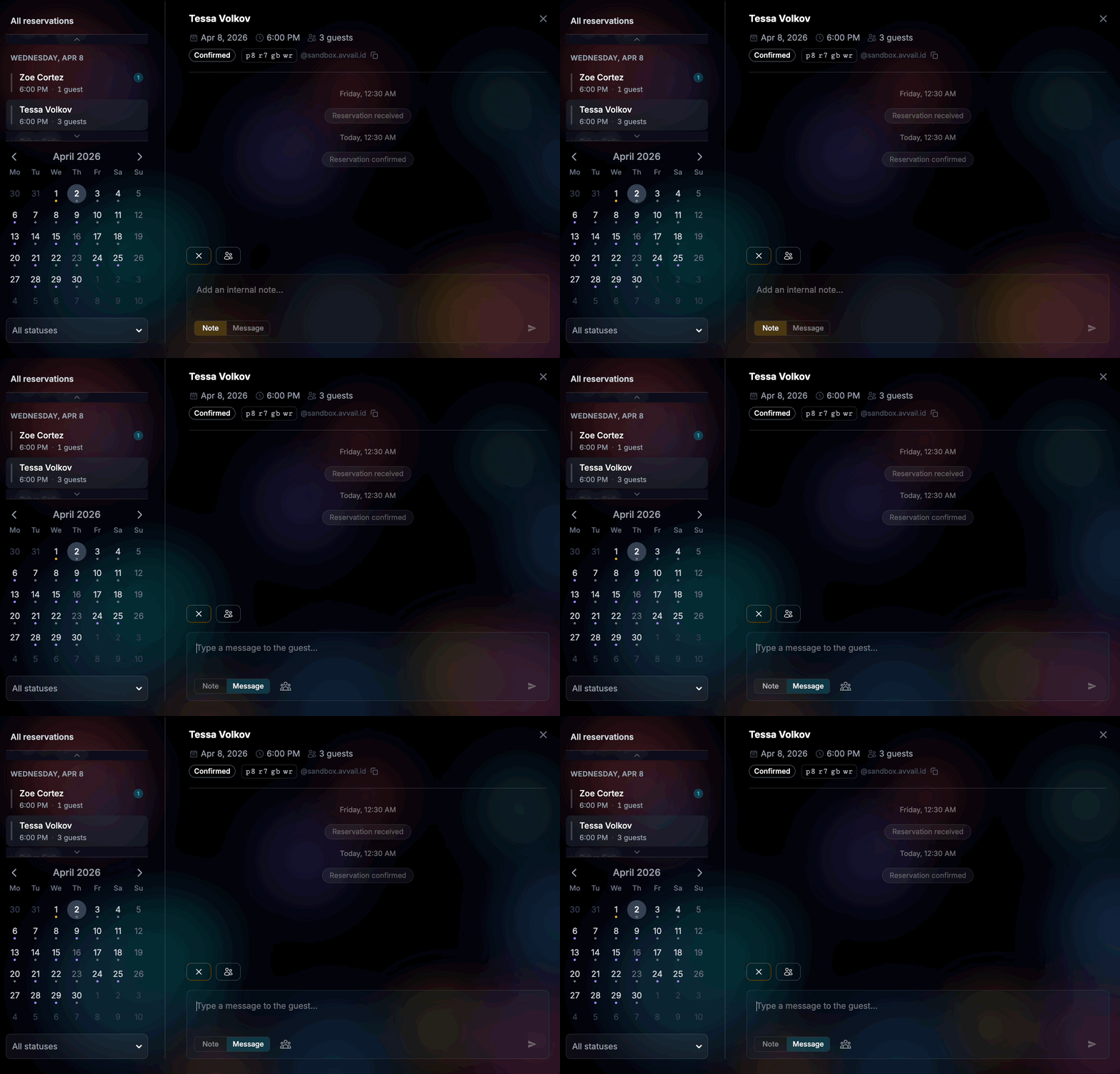
##### 3. Type and send your message.
The guest will receive the message in their email and can respond by replying to the email. Your team will also receive email notifications when a new message has been sent by the guest, but you will have to log in to view the full message.
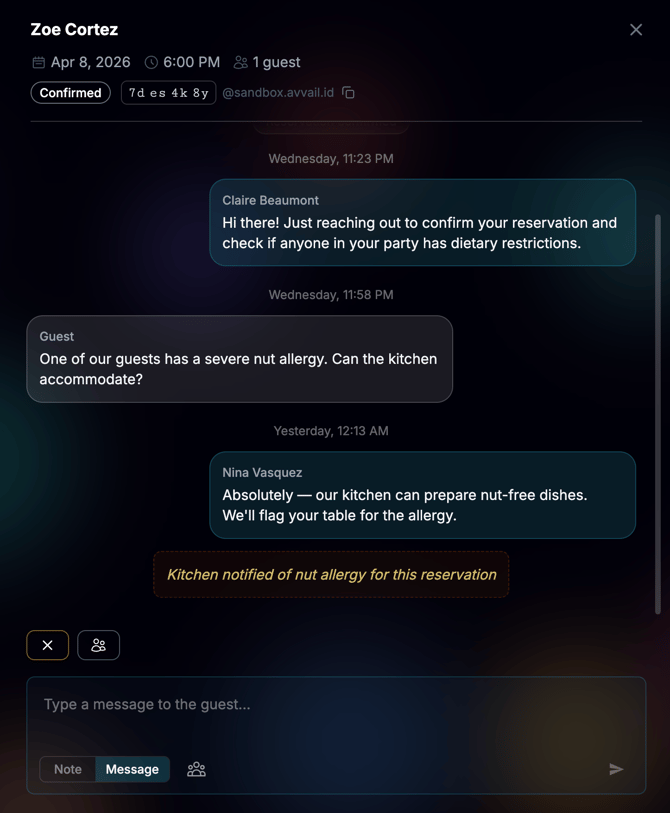
NOTE: To leave internal notes that cannot be seen by the guest, toggle to "Note" in the bottom left corner of the screen before typing and sending.
- [Account Settings](https://avvail.com/support/account-settings?hsLang=en)
- [Managing Reservations](https://avvail.com/support/managing-reservations?hsLang=en)
- [Reporting](https://avvail.com/support/reporting?hsLang=en)
- [TMS Setup](https://avvail.com/support/tms-setup?hsLang=en#main-content)
- [OpenTable](https://avvail.com/support/tms-setup?hsLang=en#opentable)
- [Resy](https://avvail.com/support/tms-setup?hsLang=en#resy)
- [SevenRooms](https://avvail.com/support/tms-setup?hsLang=en#sevenrooms)
- [FAQs](https://avvail.com/support/faqs?hsLang=en#main-content)
- [Terms of Agreement](https://avvail.com/support/faqs?hsLang=en#terms-of-agreement)
- [Cancellations & No Shows](https://avvail.com/support/faqs?hsLang=en#cancellations-no-shows)
[](https://avvail.com?hsLang=en)
[mailto:email@email.com](mailto:email@email.com)
Copyright © 2025, Guest.Tech