---
title: Curating your venue profile
description: Editing venue profile
---
[Skip to content](https://avvail.com/support/curating-your-venue-profile#main-content)
English
Show submenu for translations

Open main navigation
Close main navigation
- English
Show submenu for translations
- Contact us
Contact us
How can we help you?
- There are no suggestions because the search field is empty.
1. [Restaurant Resource Center](https://avvail.com/support?hsLang=en)
2. [Account Settings](https://avvail.com/support/account-settings?hsLang=en)
# Curating your venue profile
## Edit your Venue Profile to reflect your restaurant's cuisine, ambiance, and expectations to guests before they book.
When your restaurant becomes available for booking through Avvail's partner websites, the booking page is accompanied by a description, photos, and other information. All of this can be edited at your discretion in the [Settings](https://dashboard.avvail.com/settings) tab of your dashboard.
Before your restaurant goes live, the following required information must be inputted:
- Cuisine
- Description (up to 1000 characters)
- Logo
- Featured Photo
In the Venue Profile page, you can input your Cuisine and Description, as well as the optional Chef Name and Additional Details.
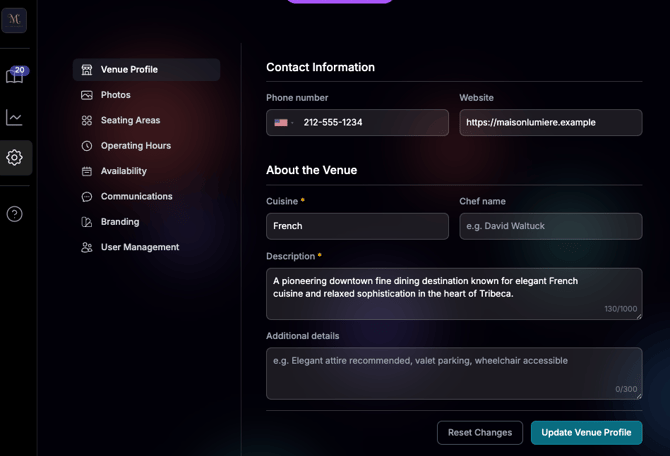
After adding or changing your venue profile, click the "Update Venue Profile." All changes will be live after 24 hours.
We recommend adding information to Additional Details such as attire expectations, grace period, accessibility information, or parking details.
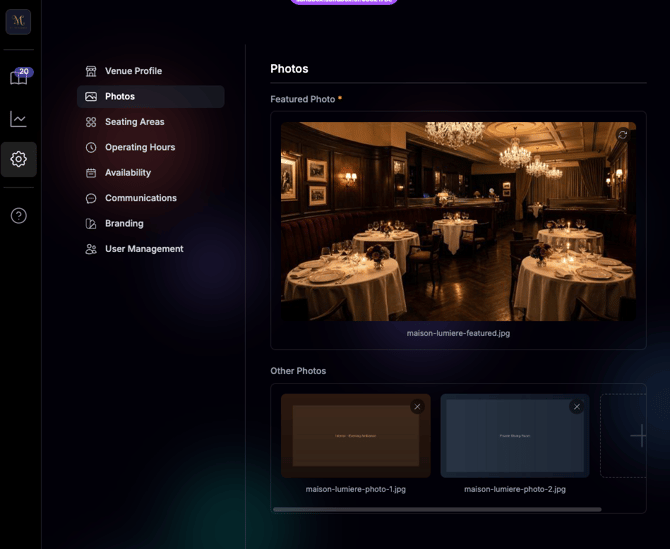
In the Photos page, you can upload your Featured Photo as well as up to 5 additional photos.
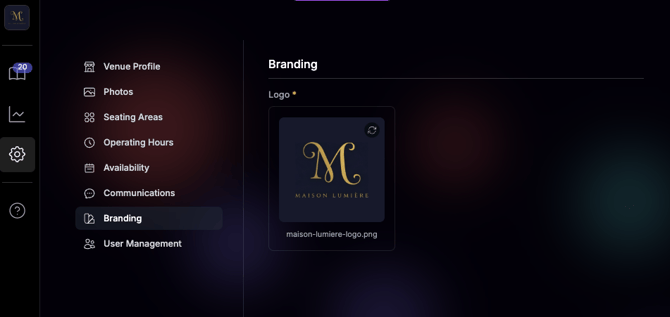
In the Branding page, you can upload your Logo.
- [Account Settings](https://avvail.com/support/account-settings?hsLang=en)
- [Managing Reservations](https://avvail.com/support/managing-reservations?hsLang=en)
- [Reporting](https://avvail.com/support/reporting?hsLang=en)
- [TMS Setup](https://avvail.com/support/tms-setup?hsLang=en#main-content)
- [OpenTable](https://avvail.com/support/tms-setup?hsLang=en#opentable)
- [Resy](https://avvail.com/support/tms-setup?hsLang=en#resy)
- [SevenRooms](https://avvail.com/support/tms-setup?hsLang=en#sevenrooms)
- [FAQs](https://avvail.com/support/faqs?hsLang=en#main-content)
- [Terms of Agreement](https://avvail.com/support/faqs?hsLang=en#terms-of-agreement)
- [Cancellations & No Shows](https://avvail.com/support/faqs?hsLang=en#cancellations-no-shows)
[](https://avvail.com?hsLang=en)
[mailto:email@email.com](mailto:email@email.com)
Copyright © 2025, Guest.Tech