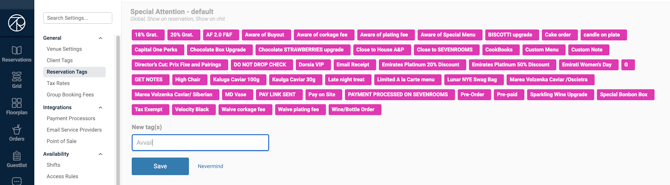
In order to easily filter and identify Avvail reservations, add a Reservation Tag.
HOW TO ADD AN AVVAIL RESERVATION TAG IN SEVENROOMS
1. Navigate to the Reservations tab and click "Reservation Tags"
2. If you would like to create a new category for Avvail reservations, click "New Category" in the upper right corner of the screen.
This option is recommended if you would like the tag to be available locally if you have multiple venues registered in SevenRooms.
3. If you would like to add the Avvail tag to an existing category, click the "+" in the appropriate category and enter the name.
This option is recommended if want to make your tag globally available to all venues and/or you have a category for specialty reservations.
Be sure to save the tag once it has been created.