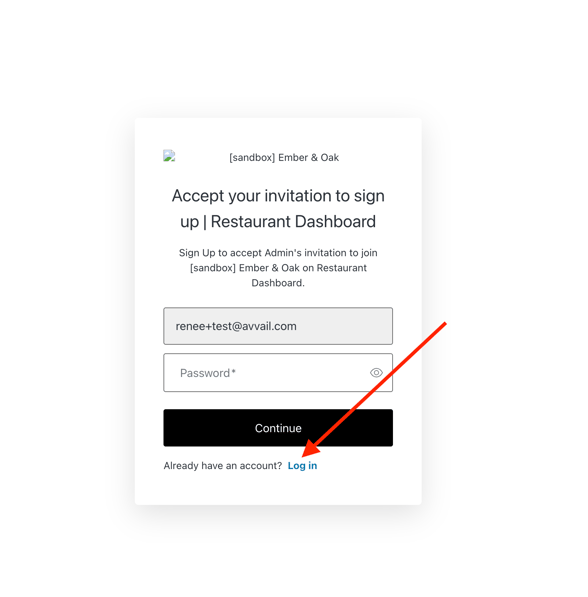
When a new user is added to a venue, they receive an email that allows them to set a password and return to Avvail anytime. For multiple venues, it is important to accept each invitation individually and log in each time.
If you have questions or issues with this process, reach out to support@avvail.com for help.
STEPS TO ACCEPT AN INVITATION TO AVVAIL
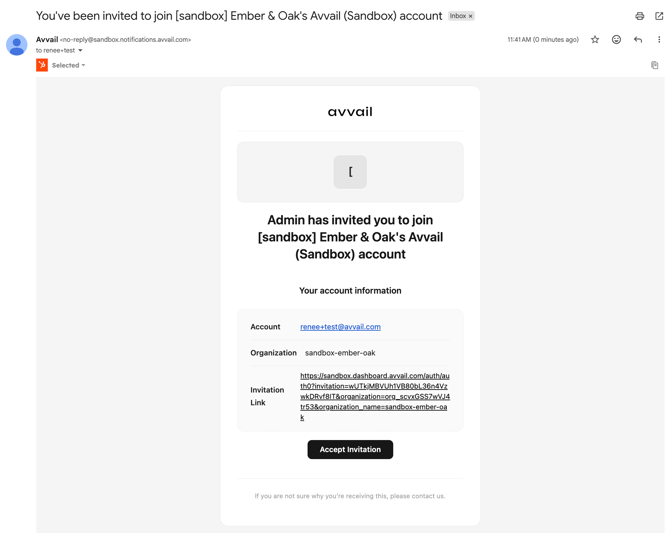
1. Locate the invitation email.
If you are having trouble finding the email, check your spam folder and/or search for emails from no-reply@notifications.avvail.com.
2. Click "Accept invitation."
3. Set your password.
4. For any additional invitations, click "Accept invitation" in each email.
Instead of signing up each time, click "Log in" at the bottom of the page and enter the password that was previously set.